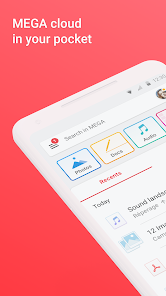
MEGA is Cloud Storage with secure always-on privacy.

| Name | MEGA |
|---|---|
| Publisher | Mega Ltd |
| Genre | Productivity |
| Version | |
| Update | November 8, 2025 |
| Get it On | Play Store |
| Report | Report Apps |
Preview







Explore this article
MEGA: Your Guide to Secure Cloud StorageWhat is MEGA and What Does It Offer?A Deep Dive into MEGA’s Encryption and SecurityZero-Knowledge EncryptionThe Importance of Your Password and Recovery KeyTransparency Through Open-Source CodeHow MEGA Compares to Other Cloud Storage ServicesGetting Started: A Step-by-Step Guide to Using MEGATips for Maximizing Your Free MEGA StorageMEGA for Business: Solutions and PricingIs MEGA Right for You?
MEGA: Your Guide to Secure Cloud Storage
In the search for reliable cloud storage, security often comes first. MEGA is a cloud storage provider that has built its reputation on a powerful promise: user-controlled, end-to-end encryption. But what does that really mean for your data, and how does MEGA stack up in a crowded market?
This guide will walk you through everything you need to know about MEGA. We’ll explore its core features, break down its security model, and compare it to other services. By the end, you’ll have a clear understanding of whether MEGA is the right secure cloud storage solution for your needs.
What is MEGA and What Does It Offer?
MEGA is a cloud storage and communication service that prioritizes privacy through user-controlled encryption. This means that when you upload your files, they are encrypted on your device before they ever reach MEGA’s servers. The same applies when you download them—decryption happens only on your device.
Beyond just storing files, MEGA provides a suite of tools designed for both personal and professional use.
Key features include:
- Generous Free Storage: MEGA offers one of the most substantial free storage plans available, with opportunities to earn even more through its achievements program.
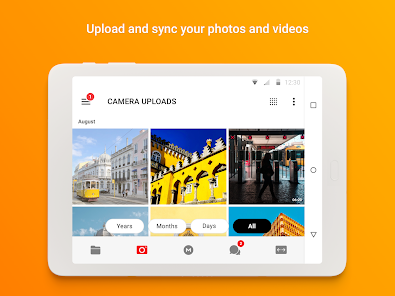
- File Sync and Backup: You can automatically sync folders from your computer to your MEGA cloud drive, ensuring your important files are always accessible and backed up across all your devices.
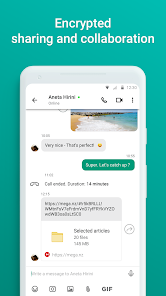
- Secure Collaboration: Share files and folders with contacts and see their updates in real time. Because you control the encryption keys, you decide who gets to access your data.
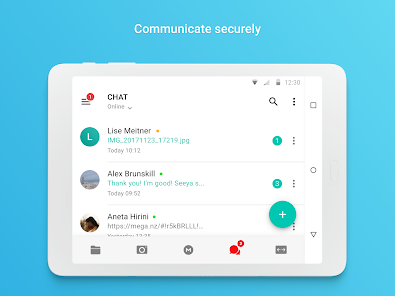
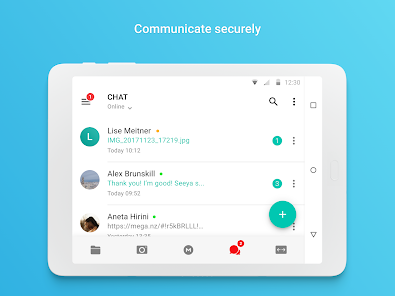
- Encrypted Communication: MEGA Chat provides a secure way to communicate through one-on-one and group chats, complete with audio and video calls. All communications are protected by the same end-to-end encryption.
- Cross-Platform Accessibility: Access your files from anywhere using a web browser or dedicated apps for desktop (Windows, macOS, Linux) and mobile (iOS, Android).
A Deep Dive into MEGA’s Encryption and Security
MEGA’s main selling point is its robust security model, centered on user-controlled, end-to-end encryption. Let’s break down what this means for your privacy.
Zero-Knowledge Encryption
MEGA operates on a “zero-knowledge” principle. When you create an account, an encryption key is generated from your password. This key is used to encrypt and decrypt your files directly on your device. MEGA never receives your password in plain text and does not hold your encryption key.
The major implication of this is that MEGA staff cannot access, view, or decrypt your files. Your data remains completely private and accessible only to you and anyone you explicitly share it with.
The Importance of Your Password and Recovery Key
Because MEGA cannot access your password, they also cannot reset it. If you forget your password, you will permanently lose access to your files unless you have saved your Recovery Key. This key is a long string of characters provided to you when you sign up. It’s crucial to back up this key and store it in a safe place, separate from your password.
Transparency Through Open-Source Code
To build trust, MEGA has made its client-side code open source. Anyone can inspect the code for its mobile and desktop apps on GitHub to verify its security claims. This commitment to transparency allows the security community to audit the software and confirm that there are no backdoors or vulnerabilities.
How MEGA Compares to Other Cloud Storage Services
With so many cloud storage options available, how does MEGA stand out? Here’s a quick comparison with some of the biggest names in the industry.
|
Feature |
MEGA |
Google Drive |
Dropbox |
|---|---|---|---|
|
Free Storage |
20 GB (plus achievement bonuses) |
15 GB |
2 GB |
|
Security |
User-controlled, end-to-end encryption (zero-knowledge) |
Encryption in transit and at rest (provider has keys) |
Encryption in transit and at rest (provider has keys) |
|
Privacy Focus |
High |
Moderate |
Moderate |
|
File Sharing |
Secure sharing with encryption keys |
Standard link sharing with permission levels |
Standard link sharing with permission levels |
|
Collaboration |
Secure chat, file sharing |
Deep integration with Google Workspace |
Integration with Dropbox Paper and third-party apps |
|
Open Source |
Client-side code is open source |
Proprietary |
Proprietary |
The primary difference lies in the encryption model. While services like Google Drive and Dropbox encrypt your data, they hold the encryption keys. This means they can, if required by law or for other reasons, access your files. With MEGA, only you hold the keys, offering a higher level of personal privacy.
Getting Started: A Step-by-Step Guide to Using MEGA
MEGA’s user-friendly interface makes it easy to get started. Here’s how to set up your account and begin using the service.
- Create Your Account: Go to the MEGA website and sign up with your name, email address, and a strong password. Remember to choose a unique and secure password.
- Save Your Recovery Key: During signup, MEGA will provide you with a Recovery Key. Do not skip this step. Download the key and save it somewhere safe and accessible. This is your only way to regain access if you forget your password.
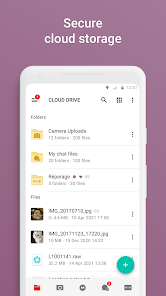
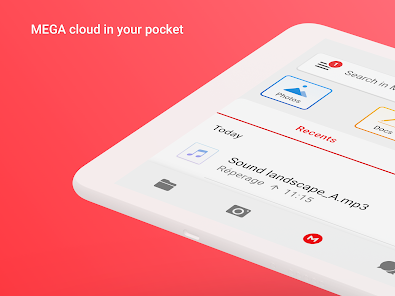
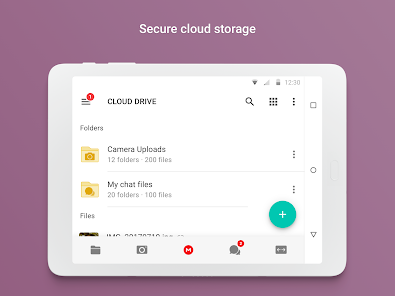
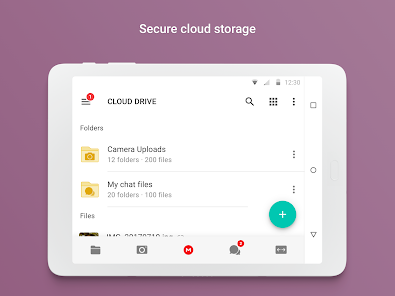
- Explore the Interface: Once logged in, you’ll see your Cloud Drive. The layout is similar to a standard file manager, with a folder tree on the left and your files on the right.
- Upload Files: You can upload files by dragging and dropping them into the browser window or by using the “File Upload” or “Folder Upload” buttons.
- Install the Apps: For a seamless experience, download the MEGA desktop app to sync folders from your computer automatically. The mobile app lets you access your files and automatically upload photos and videos from your phone.
- Share with Others: To share a file or folder, right-click on it and select “Get link.” You can choose to share the link with or without the decryption key. For maximum security, send the link and the key separately.
Tips for Maximizing Your Free MEGA Storage
One of MEGA’s most attractive features is its free storage allowance. Here’s how you can get more out of it.
- Complete MEGA Achievements: The “MEGA Achievements Programme” rewards you with bonus storage for completing certain tasks. These include installing the desktop and mobile apps, and referring friends to the service. These bonuses are temporary but can significantly boost your available space.
- Refer Friends: When you invite a friend to MEGA and they install the desktop or mobile app, you both receive bonus storage.
- Manage Your Files: Regularly review your Cloud Drive and delete files you no longer need. Use the “Rubbish Bin” to permanently remove items and free up space.
MEGA for Business: Solutions and Pricing
Beyond personal use, MEGA offers scalable solutions for businesses that need secure cloud storage and collaboration tools.
MEGA Business plans provide a centralized dashboard for managing multiple users, data, and billing. Key features include:
- Administrator Control: A powerful admin dashboard allows you to add or remove users, set storage and transfer quotas, and monitor usage.
- Unlimited Storage & Transfer: Business plans offer ample storage and transfer allowances to meet organizational needs without worrying about limits.
- Secure Team Collaboration: All of MEGA’s end-to-end encrypted features, including file sharing and chat, are available for teams.
Pricing for business plans is based on the number of users and the amount of storage and transfer required, offering flexibility for startups and large enterprises alike.
Is MEGA Right for You?
Choosing a cloud storage provider depends on your priorities. If your primary concern is privacy and you want to ensure that no one—not even the service provider—can access your files, MEGA is an excellent choice. Its zero-knowledge, end-to-end encryption model provides one of the highest levels of security available in the consumer cloud storage market.
The generous free storage plan also makes it a compelling option for anyone needing more space than what competitors offer. However, the responsibility for managing your password and Recovery Key is a critical trade-off.
For those who value security, privacy, and a generous amount of free space, MEGA cloud storage offers a reliable and user-friendly solution that puts you in control of your data.
Report

What's New
- You can now resolve multiple sync issues at once with the new bulk fix option.
- Bugs have been fixed and performance improved.
Download MEGA
You are now ready to download MEGA for free. Here are some notes:
- Please check our installation guide.
- To check the CPU and GPU of Android device, please use CPU-Z app