Easily scan and convert your receipts into PDFs for easy filing.

| Name | Adobe Scan AI PDF Scanner, OCR |
|---|---|
| Publisher | Adobe |
| Genre | Business |
| Version | |
| Update | November 8, 2025 |
| Get it On | Play Store |
| Report | Report Apps |
Preview


Explore this article
Scan Smarter: A Guide to Adobe Scan AI PDF Scanner, OCRKey Features of the Adobe Scan AI PDF ScannerHigh-Quality Document ScanningAI-Powered Optical Character Recognition (OCR)New AI Assistant and Generative SummaryPDF Editing and CleanupSeamless Cloud Storage IntegrationThe Benefits of Using an AI PDF ScannerBoost Efficiency and Save TimeImprove Document OrganizationEnhance Accessibility and SharingPractical Use Cases for Adobe ScanFor Business ProfessionalsFor EducationFor Personal UseTips and Tricks for Getting the Most Out of Adobe ScanOptimize Your Scan QualityLeverage Advanced OCR and AI FeaturesIntegrate with Other Adobe ProductsReady to Digitize Your World?
Scan Smarter: A Guide to Adobe Scan AI PDF Scanner, OCR
Paper documents are a familiar friction point in any office. They pile up, get misplaced, and make finding specific information a tedious task. While scanners have been around for decades, turning a physical document into a digital file is only half the battle. What if you could not only digitize your paperwork but also instantly make it intelligent, editable, and searchable?
Enter the Adobe Scan AI PDF Scanner. This powerful mobile application transforms your smartphone or tablet into a sophisticated scanning tool, enhanced with artificial intelligence to streamline how you manage documents. Adobe Scan goes beyond simple image capture; it uses cutting-edge Optical Character Recognition (OCR) technology to convert scanned images into fully editable and searchable text.
This guide explores the features, benefits, and practical applications of the Adobe Scan AI PDF Scanner. Whether you’re a business professional managing contracts, a student organizing lecture notes, or simply someone looking to declutter your personal files, you’ll learn how this AI-powered tool can boost your efficiency and bring your documents into the digital age.
Key Features of the Adobe Scan AI PDF Scanner
Adobe Scan is packed with intelligent features designed to make document management effortless. It combines high-quality scanning with powerful AI capabilities to deliver a comprehensive solution right from your mobile device.
High-Quality Document Scanning
At its core, Adobe Scan is a premium PDF scanner. The app uses advanced image technology to automatically detect document borders, correct perspective, and sharpen text for crisp, clear digital copies every time. You can scan anything from receipts and business cards to multi-page reports and whiteboards with precision. The new High-speed scan tool even uses AI to bulk scan larger documents in just seconds, saving you valuable time.
AI-Powered Optical Character Recognition (OCR)
What truly sets Adobe Scan apart is its built-in Optical Character Recognition (OCR) software. This technology automatically recognizes text within your scanned images and converts it into digital, editable content. This means a scanned contract, article, or note is no longer just a static picture. With Adobe’s free, built-in OCR, you can create a high-quality PDF that allows you to search for specific terms, copy text, and reuse content in other applications like the free Adobe Acrobat Reader.
New AI Assistant and Generative Summary
Adobe Scan now includes an AI Assistant and Generative Summary feature, taking its capabilities to the next level. With a single tap, you can generate a concise summary of your scanned document, pulling out the key points so you can grasp what matters most without reading the entire file.
After scanning, you can interact with the AI Assistant to ask follow-up questions about the document’s content, or even draft emails and reports based on the information within your scan. This turns your scanner into an intelligent partner that helps you understand and act on your documents instantly.
PDF Editing and Cleanup
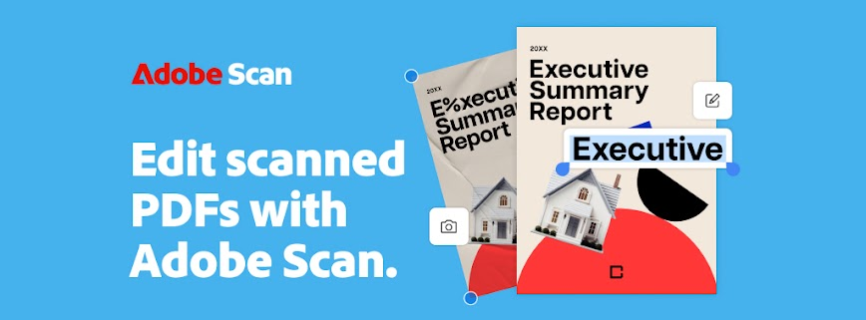
Scans are rarely perfect, but Adobe Scan provides the tools to make them so. The “Edit in Scan” feature lets you adjust scans directly within the app. You can preview, reorder pages, crop, rotate, and adjust the color of any PDF or photo scan.
Furthermore, the cleanup tool allows you to remove imperfections like stains, marks, and creases. You can even erase unwanted handwriting to produce a clean, professional-looking digital document.
Seamless Cloud Storage Integration
Every document you scan is automatically saved to Adobe Document Cloud, providing instant access across all your devices. This integration ensures your files are secure, backed up, and available whenever you need them. Whether you’re working from your phone, tablet, or desktop, your documents are always in sync and easy to share.
The Benefits of Using an AI PDF Scanner
Integrating an AI-powered tool like Adobe Scan into your workflow offers significant advantages, transforming how you handle information and boosting overall productivity.
Boost Efficiency and Save Time
Manual data entry is a time-consuming and error-prone process. The OCR technology in Adobe Scan automates text extraction, allowing you to capture information from receipts, business cards, and forms in seconds. Features like saving business card details directly to your phone contacts eliminate tedious typing. The ability to quickly find documents in your photo library and convert them into searchable PDFs also saves countless hours that would otherwise be spent manually sorting files.
Improve Document Organization
A pile of papers is an organizational nightmare. By digitizing your documents with Adobe Scan, you create a centralized, searchable archive in the Adobe Document Cloud. Instead of rummaging through filing cabinets, you can find any document with a simple keyword search. This not only declutters your physical workspace but also makes information retrieval instantaneous, ensuring you have what you need, right when you need it.
Enhance Accessibility and Sharing
Digital documents are inherently more accessible and easier to share than their physical counterparts. With Adobe Scan, you can instantly share a scanned PDF via email or messaging apps. Storing files in the Adobe Document Cloud allows for easy collaboration. You can open a PDF scan in Acrobat Reader to highlight key sections, add comments, or fill and sign forms on the go, making teamwork seamless regardless of location.
Practical Use Cases for Adobe Scan
The versatility of the Adobe Scan AI PDF Scanner makes it an indispensable tool across various professional and personal contexts.
For Business Professionals
In the business world, paperwork is a constant. Adobe Scan helps manage this flow with ease.
- Expense Reporting: Quickly scan receipts and use the OCR to create a searchable record. The app can even function as a tax receipt scanner, making it easy to highlight expenses.
- Contract Management: Digitize lengthy legal documents. The OCR makes them searchable, so you can quickly find specific clauses or terms.
- Networking: Scan business cards and have the contact information automatically extracted and saved to your device’s contacts. No more manual entry.
For Education
Students and educators can leverage Adobe Scan to stay organized and enhance learning.
- Note-Taking: Scan whiteboard notes from a lecture or handwritten notes from a classmate. The OCR technology makes this content searchable, so you can easily review key topics before an exam.
- Research: Digitize book chapters or articles from the library. You can then copy and paste quotes directly into your research papers and highlight important passages in Acrobat Reader.
- Assignments: Submit a clean, high-quality PDF scan of your handwritten homework directly from your phone.
For Personal Use
Adobe Scan is also incredibly useful for managing your personal life and reducing paper clutter at home.
- Digitize Important Documents: Keep secure digital copies of passports, IDs, warranties, and other important papers.
- Save Memories: Scan old photos, children’s drawings, or meaningful letters to preserve them digitally and share them with family.
- Recipe Collection: Scan recipes from magazines or family cookbooks and organize them into a digital collection that’s easy to browse and search.
Tips and Tricks for Getting the Most Out of Adobe Scan
To maximize the power of your Adobe Scan AI PDF Scanner, follow these simple tips.
Optimize Your Scan Quality
For the best OCR results, a clear scan is essential.
- Good Lighting: Scan in a well-lit area and avoid shadows. Natural light is often best.
- Flat Surface: Place your document on a flat, contrasting surface. This helps the app’s edge detection work more effectively.
- Steady Hand: Hold your device steady and parallel to the document to avoid blurry or distorted images.
Leverage Advanced OCR and AI Features
Don’t just scan—make your documents work for you.
- Use AI Summary: For long documents, use the one-tap Generative Summary to get the main points quickly.
- Interact with AI Assistant: Ask the AI Assistant questions to find specific information within your scan without rereading the whole document.
- Search and Copy: Remember that every scan is searchable. Use the search function to find what you need and copy text to reuse it elsewhere.
Integrate with Other Adobe Products
Adobe Scan is part of a larger ecosystem.
- Adobe Acrobat Reader: Open your scans in Acrobat Reader to highlight, comment, fill, and sign documents.
- Export Formats: With an in-app purchase, you can export your PDFs to Microsoft Word or PowerPoint, seamlessly integrating them into your existing workflows.
- Combine Scans: A subscription allows you to combine multiple scans into a single, organized document.
Ready to Digitize Your World?
The Adobe Scan AI PDF Scanner is more than just a mobile scanner; it’s a comprehensive document management solution powered by intelligent technology. By turning physical documents into smart, searchable, and editable PDFs, it unlocks new levels of efficiency and organization for professionals, students, and anyone looking to conquer paper clutter. The addition of the AI Assistant and Generative Summary further solidifies its position as a must-have productivity tool.
Ready to experience the future of scanning? Download the best free mobile scanner trusted by millions worldwide and transform the way you handle documents.
[Download Adobe Scan Today]
Report

What's New
NEW – GENERATIVE AI SUMMARIES
Paid users get access to new one-tap generative AI summary that pulls key points from your document to help you quickly understand important information.
NEW - OPTIMIZE SHARING WITH FILE COMPRESSION
Now you can save space and time by compressing your PDF files before sharing. Quickly compress and share, all in one app.
Download Adobe Scan AI PDF Scanner, OCR
You are now ready to download Adobe Scan AI PDF Scanner, OCR for free. Here are some notes:
- Please check our installation guide.
- To check the CPU and GPU of Android device, please use CPU-Z app